
 ご質問を検索する?
How can I track my package?
Track My Package
Once an order has shipped out, we will send you a Shipping Confirmation Email that includes your Tracking Number.
To check the status of your package, please click on the link and it will redirect you to UPS, DHL or other shipping vendor's website. This function allows you to track your package using the tracking code provided in the email.
You can also track your order in "My Orders" by following these 4 steps:
Step 1
Sign into your account and click "My Orders".

Step 2
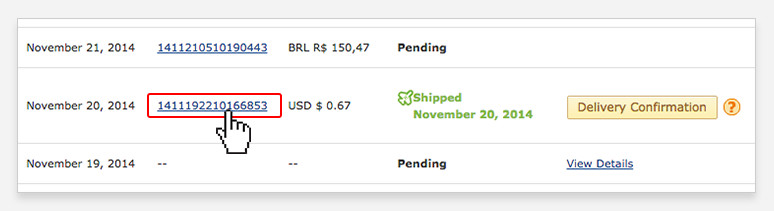
Click on the Order Number you want to track.
Step 3
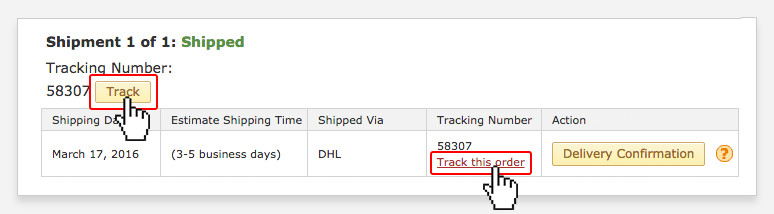
Click on the Track button or the Track this order link located next to the tracking number.
Note:
At this time, tracking is not always available for Postal Service - No Tracking (FREE Shipping).
Step 4
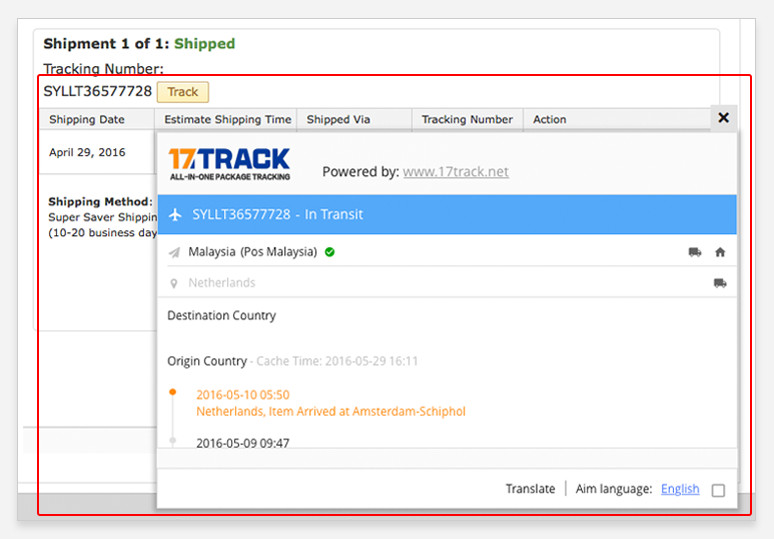
 Upon clicking the Track button, a popup will appears to show tracking details.
 - Upon clicking the Link, you will then be redirected to the shipping company's website. There, you can enter your tracking number to find out where your package is.
- 最初のページ
- 注文状況それぞれの定義について...