
Baza de Date
 Caută-ți întrebările ?
- Comanda Mea Întrebări Frecvente
- Contul Meu Întrebări Frecvente
- Plata Mea Întrebări Frecvente
- Expediere Internațională & Livrare Întrebări Frecvente
- Întrebări Frecvente Returnări & Rambursări
- Credit & Recompense Întrebări Frecvente
- Nunta & Rochii Evenimente (Făcute la Comandaă) FAQs
- Utilizator Nou -- Ghid
How can I buy Prepaid Credit and use it?
-
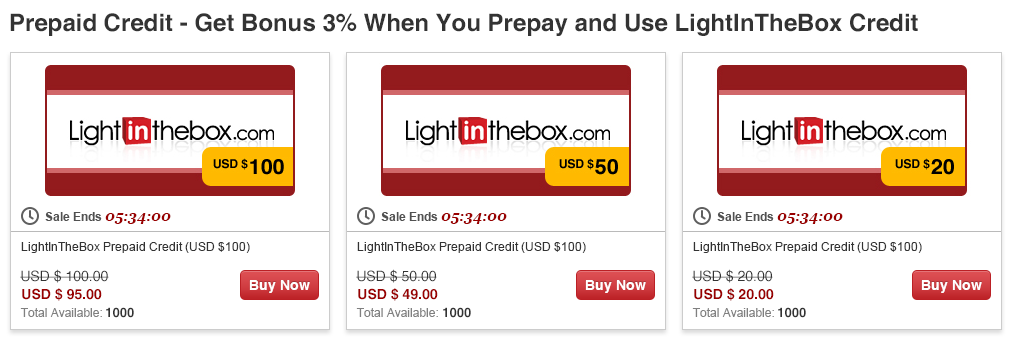
Step 1 On the Super Sale page, click the “Buy Now” button under the Prepaid Credit icon to be taken to the Prepaid Credit product page.
-
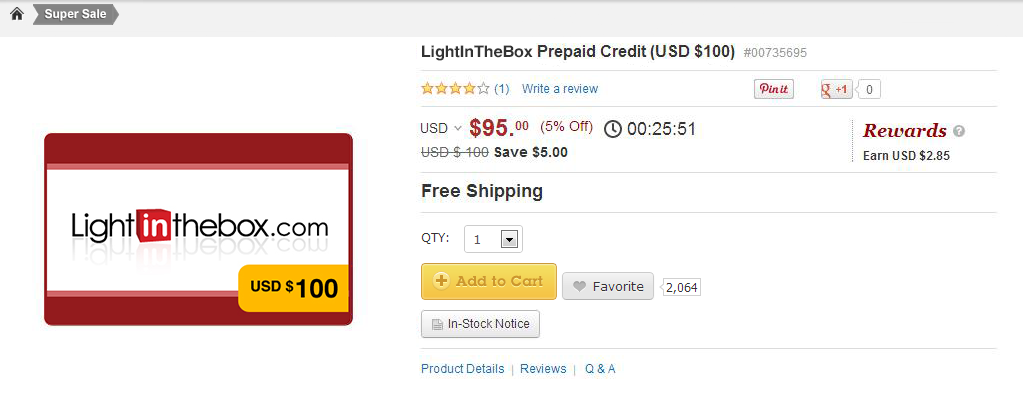
Step 2 On the Prepaid Credit product page, click “Add to Cart” to access the Shopping Cart page.
-
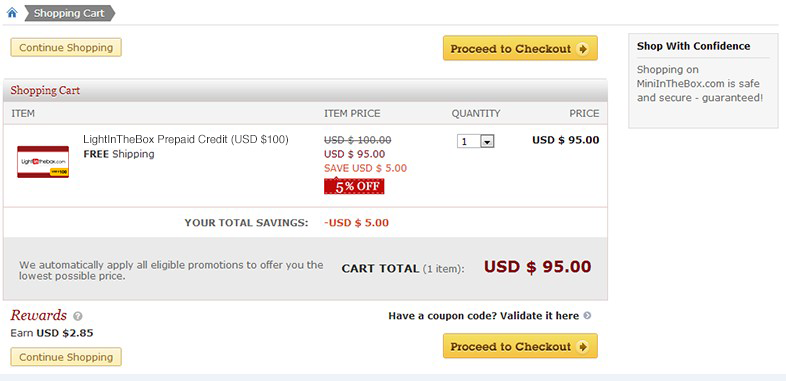
Step 3 On the Shopping Cart page, click on “Proceed to Checkout” to be taken to the Place Order page.
-
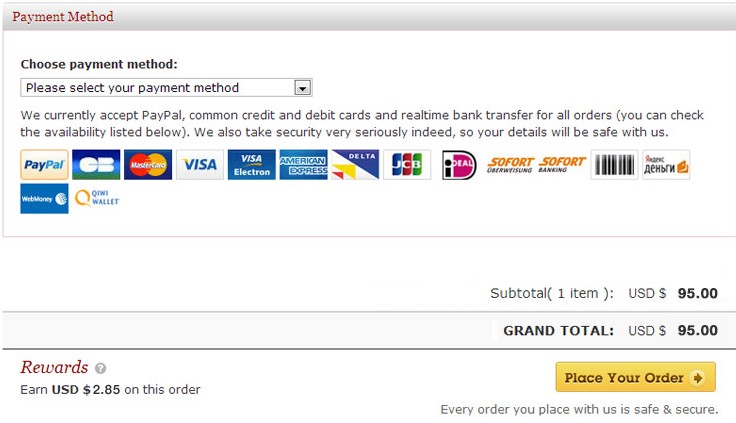
Step 4 On the Place Order page, choose your payment method and click “Place Your Order” to be taken to the Checkout page.
-
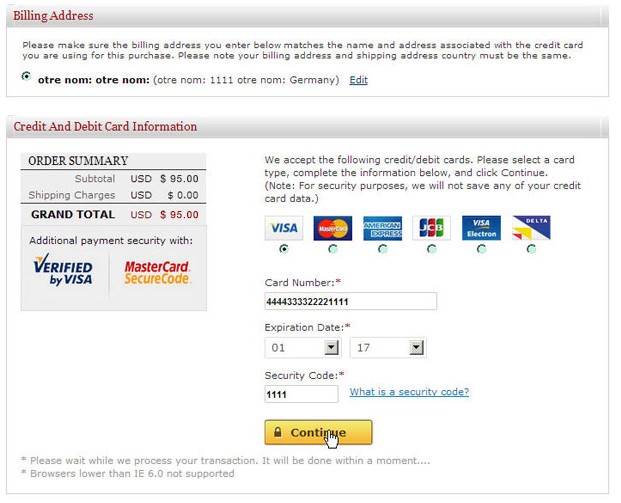
Step 5 On the Checkout page, enter your payment information.
-
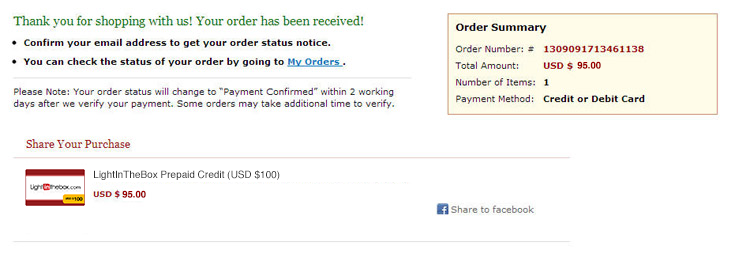
Step 6 Once your payment has been made, you will be taken to the Order Summary page, which gives you a quick review of the order you just placed.
-
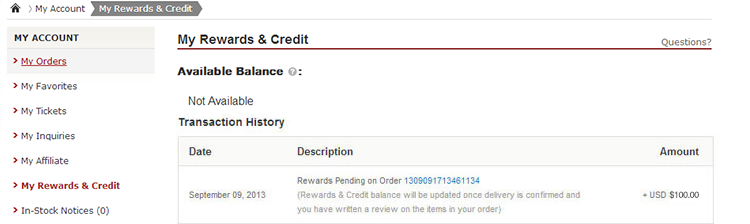
Step 7 After you successfully make a payment, you can go to the My Rewards & Credit page under My Account to see a “Rewards Pending” note that looks like this:
Rewards pending on Order xxxxxxxxxxxxxxxx (Rewards & Credit balance will be updated once delivery is confirmed and you have written a review on the items in your order)
-
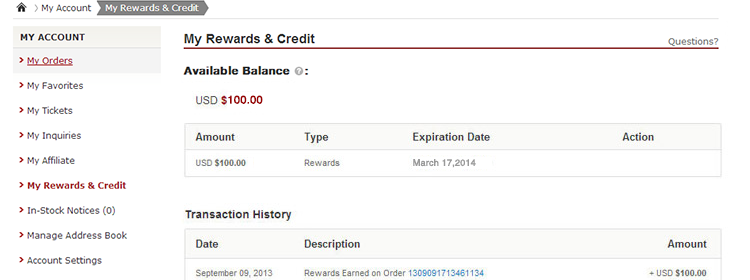
Step 8 Once your payment has been confirmed, our system will automatically update your Rewards & Credit balance within 30 minutes to reflect the Prepaid Credit you purchased. The “Rewards Pending” status will change to “Rewards Earned”. The Rewards you purchased are valid for six months, and you can see the expiration date at any time in your Available Balance page.
-
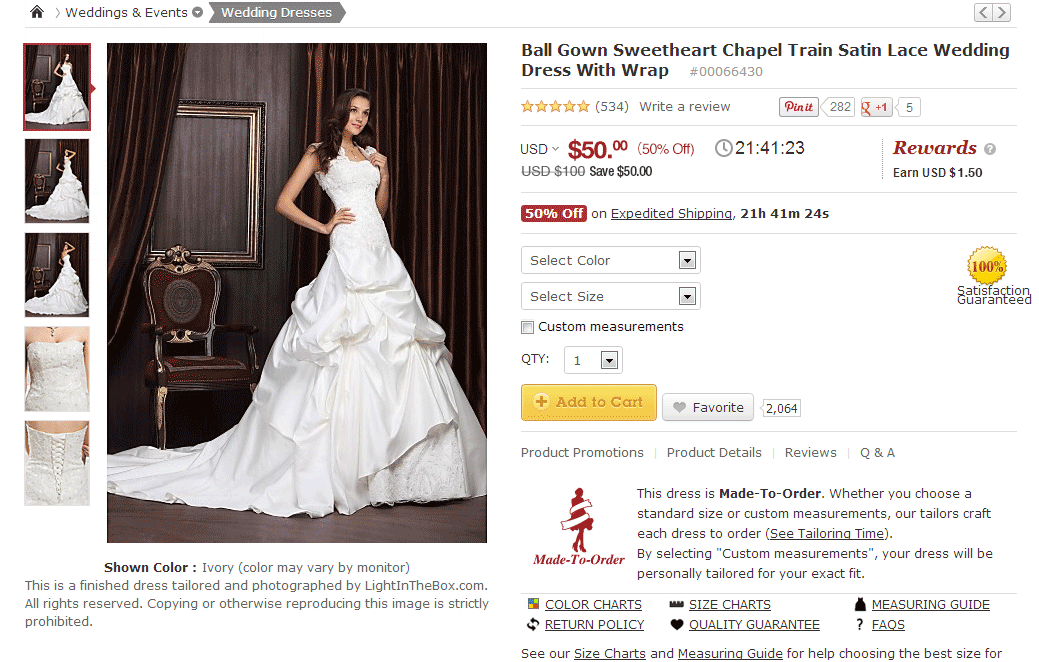
Step 9 Your Rewards will be automatically applied towards your next eligible purchase on LightInTheBox.com. There are no product or minimum order amount restrictions.
-
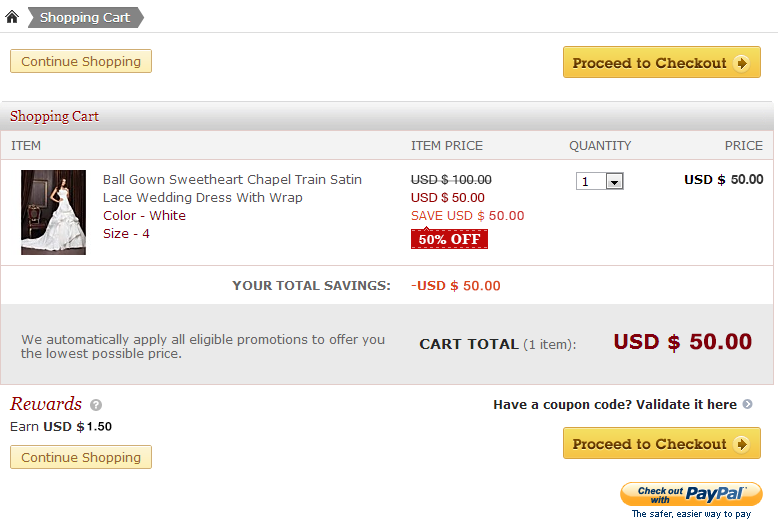
Step 10 On the Shopping Cart page, click on “Proceed to Checkout” to be taken to the Place Order page.
-
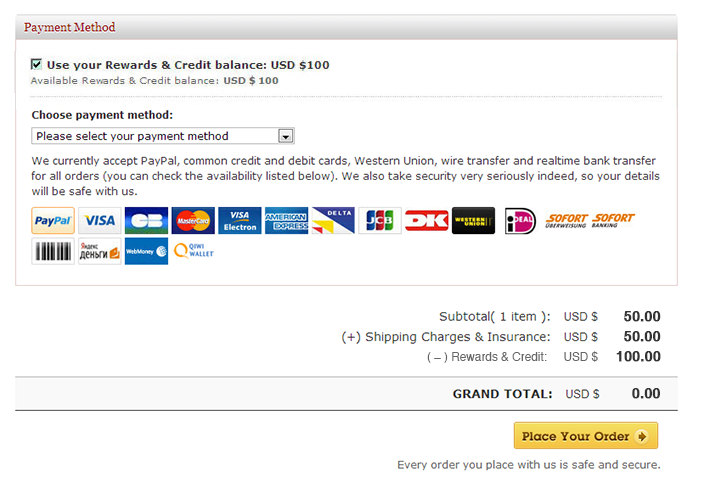
Step 11 To use your Rewards & Credit balance, simply check the applicable box during the checkout process on LightInTheBox.com and click “Place Your Order” to be taken to the Checkout page.
-
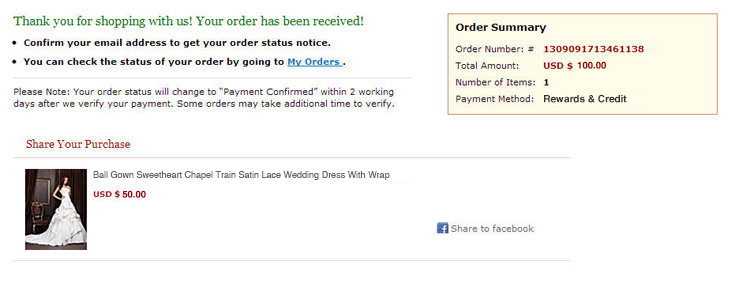
Step 12 You have successfully used your Rewards & Credit balance to pay for this order.
- Această pagină a fost : De ajutor | De neajutor
- Nici o Pagina Precedentă
- Ce anume semnif...