
Knowledgebase
Search your questions?
-
My Orders FAQs
- How do I check my order status?
- What does my order status mean?
- How can I cancel my order?
- When will I receive my order?
- I ordered a standard sized dress, not a custom size, why is it taking so long?
- How do I contact Customer Service about my order?
- What if I have a question before placing an order?
- My Account FAQs
-
Payment FAQs
- Which payment methods do you accept?
- What payment methods are available in my country?
- How to pay with credit/debit card
- How to pay with PayPal
- Western Union and Wire Transfer Information
- How can I change payment methods?
- When will I be charged for my items?
- How can I view prices in my currency?
- How do you calculate currency rates?
- About Paying Tax on Purchases
- How do I use a coupon?
-
International Shipping & Delivery FAQs
- LightInTheBox Global Shipping Guide
- How can I track my package?
- How do I estimate my delivery date?
- How do I calculate shipping costs?
- What shipping methods do you offer?
- Are there any additional fees involved in international shipping?
- Do you ship to PO Boxes or APO/FPO military addresses?
- Why was I asked for a "CPF" number? (Brazilian customers)
- Worldwide Shipping - What does it mean?
- Returns & Refunds FAQs
-
My Rewards & Credit FAQs
- What is the Rewards & Credit Balance?
- How do I earn Rewards & Credit?
- How can I check my Rewards & Credit Balance?
- When will my accrued Rewards post to my account?
- How long do I have to use my Rewards & Credit Balance?
- How can I use my Rewards & Credit Balance?
- How can I request a withdrawal?
- What happens to my Rewards when I return items for a refund?
- How can I buy Prepaid Credit and use it?
-
Weddings & Events Dresses (Made-to-Order) FAQs
- What does made-to-order mean?
- How do I measure my size?
- How far in advance should I order my dress?
- Can I modify a dress' design such as style/fabric/length?
- Can I change my size after I placed my order?
- Can I cancel the dress if I change my mind?
- How to check my dress' tailoring status?
- Do you sell fabric swatches or can I buy material directly from you?
- Made-to-Order dresses alteration options & return policy
- New User--Guide
クレジットを購入して買い物をしたいのですが。
-
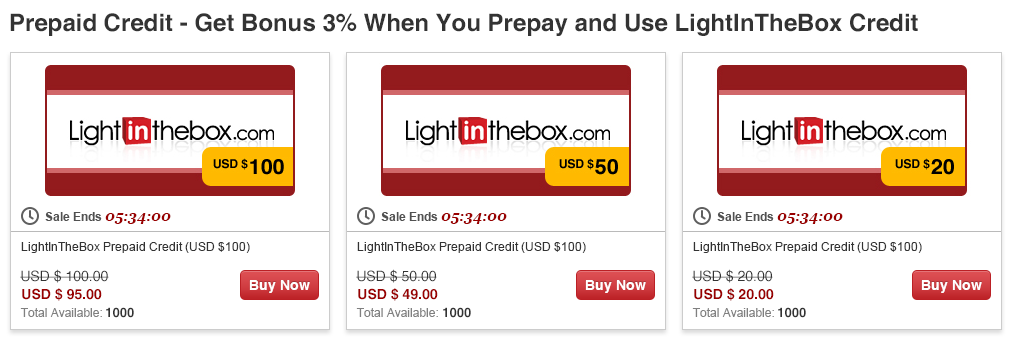
ステップ1 スーパーセールページ内《今すぐお買い物》ボタン(プリペイドクレジット・アイコン下)をクリックして下さい。クリック後、プリペイドクレジット対象商品ページヘと移動します。
-
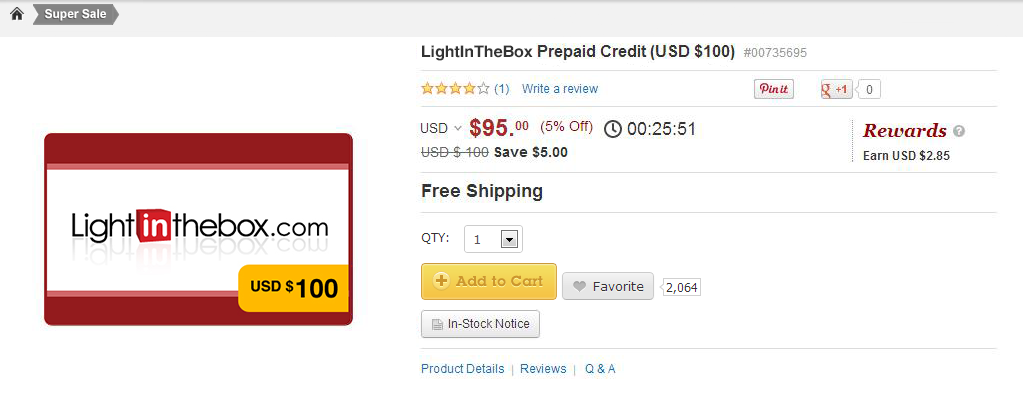
ステップ2 プリペイドクレジット対象商品内ページで《カートに追加する》ボタンをクリックして、ショッピングカート・ページへと移動します。
-
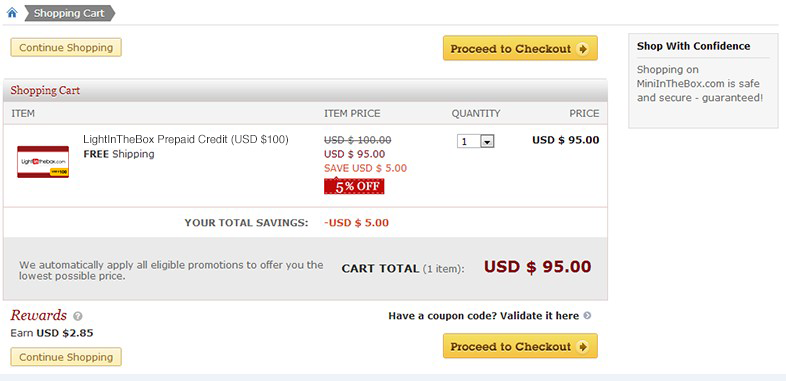
ステップ3 ショッピングカート・ページで、《レジに進む》ボタンを押すとご注文ページへと移動します。
-
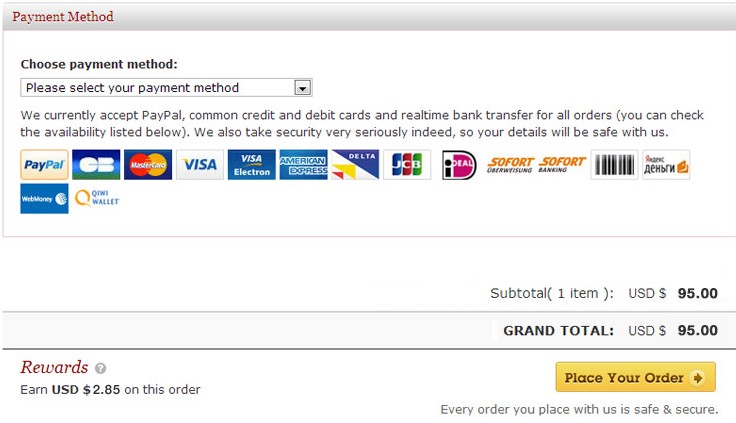
ステップ4 ご注文ページで、お支払い方法を選択後《注文を確定する》をクリックするとチエックアウト・ページヘと移動します。
-
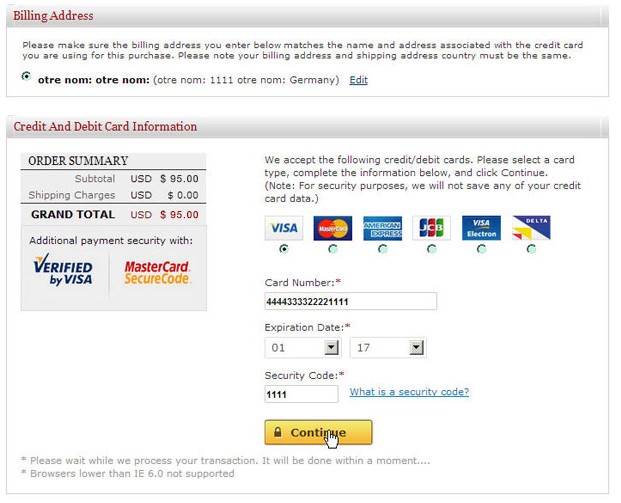
ステップ5 チェックアウト・ページにてお支払情報をご入力下さい。
-
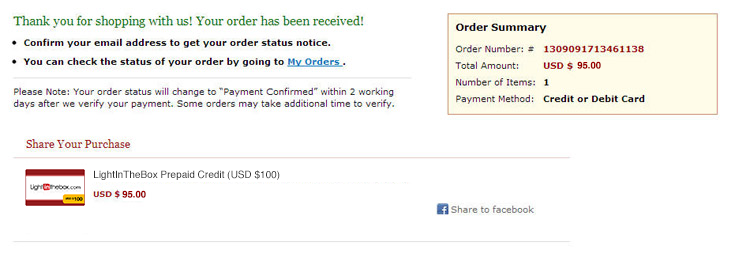
ステップ6 お支払手続き完了後、ご注文明細ページへと移動します。
-
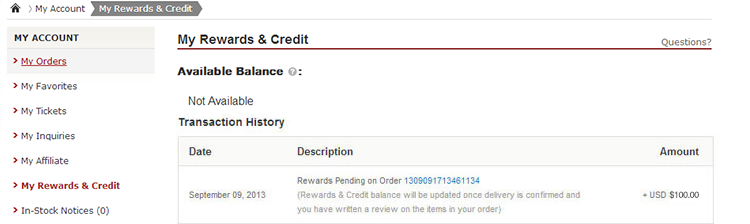
ステップ7 全てのお支払手続き完了後、メインページの《マイアカウント》内《マイリワード&クレジット》ページより、「ご注文番号xxxxxxxxxxxxxxxxのリワードは現在保留となっております(ご注文商品配達確認後、当該商品についてのレビューを投稿して頂けました時点で、リワードは更新されます」といった《保留中のリワード》メッセージが表示されます。
-
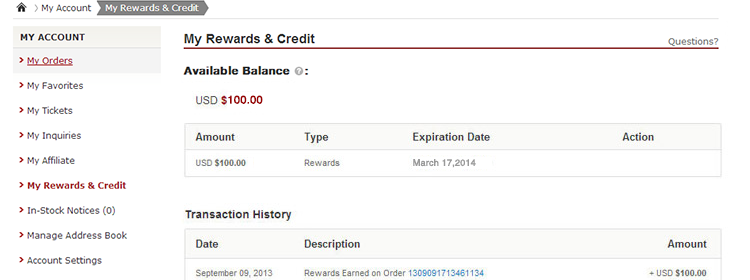
ステップ8 お支払いが確認されますと、システムにより30分以内にお買い求め頂きましたプリペイドクレジットがリワード&クレジット残高に自動的に反映されます 反映されますと、《保留中のリワード》から《獲得したリワード》へとステータスが変更されます。 ご購入されたリワードの有効期限は6ヶ月となっております(有効期限はリワード残高ページにてご確認頂けます)。
-
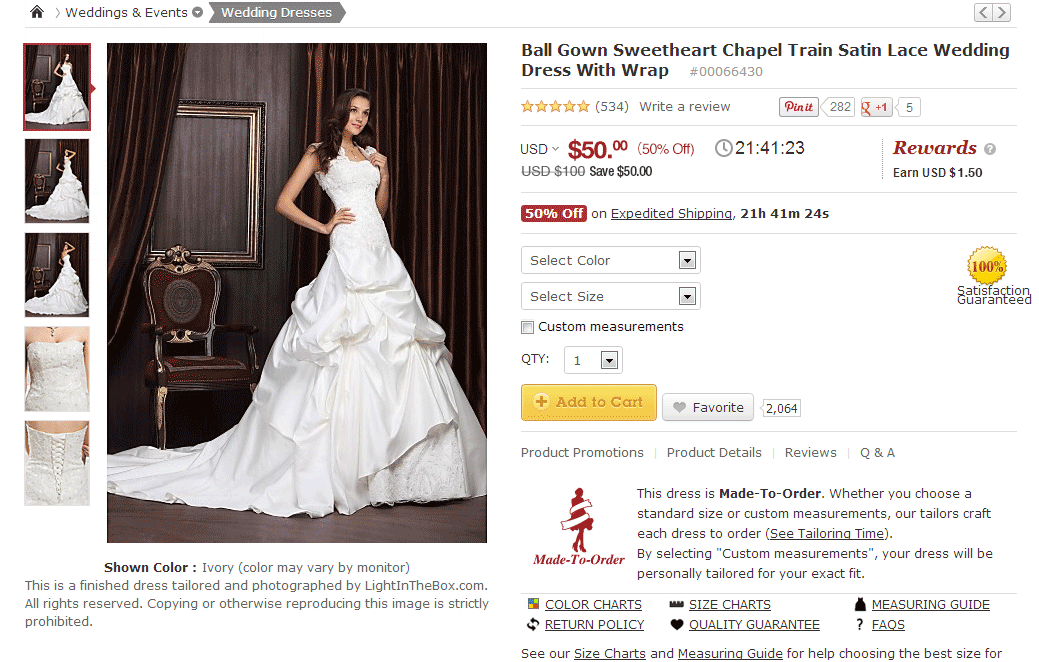
ステップ9 リワードはLightInTheBox.comにて次回以降規定を満たすお買い物をされる際に自動的に引き落とされます。 全商品のお買い物にご利用頂け、最低ご注文金額はございません。
-
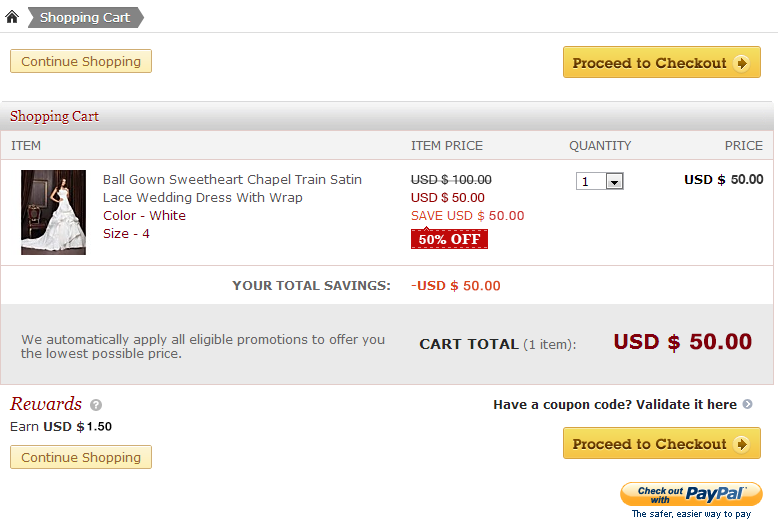
ステップ10 ショッピングカート・ページで《レジに進む》ボタンをクリックするとご注文ページヘと移動します。
-
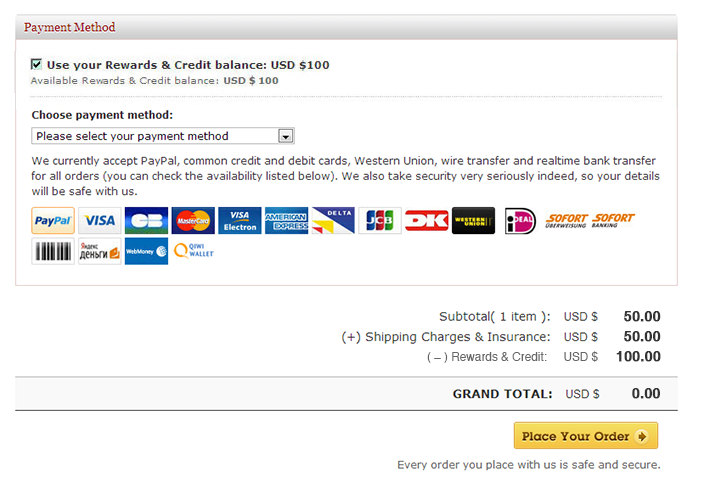
ステップ11 リワード&クレジット残高をご利用になられる場合は、チェックアウト手続きの際に該当ボックスにチェックマークを入れた後に《注文を確定する》ボタンを押して頂くとチェックアウト・ページヘと移動します。
-
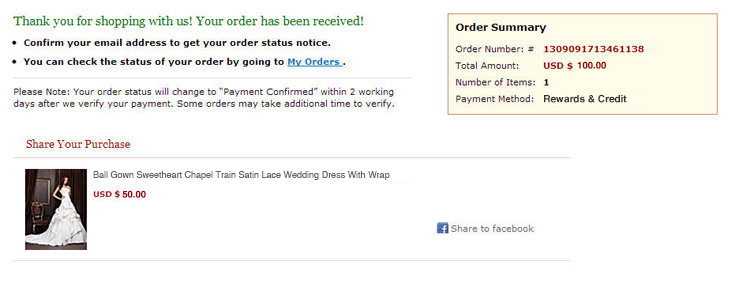
ステップ12 リワード&クレジット残高を使っての当該ご注文のお支払いが完了いたしました。
- This page was: Helpful | Not Helpful
- No Previous Page
- What does my or...